
How to install Atom editor in Ubuntu Linux - Learn Online

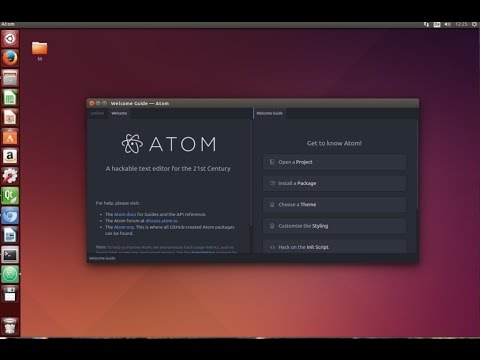
Atom is opensource source code and text editor. Atom can be installed on Windows, Linux and OS X. Atom supports plugins written in Node.js and has embedded Git source control. Atom is developed by GitHub. Atom is build using web technologies and used as a desktop application.

In this post we will see how to install Atom editor on your Ubuntu Linux system.

Click to Find all commands -

$ sudo add-apt-repository ppa:webupd8team/atom
$ sudo apt-get update
$ sudo apt-get install atom

Comments

  1. You could use Sublime also as free =)

    ReplyDelete
  2. But you need a license to fully unlock it... In youtube you can find one for the subl 3 :p but I hate this concept of license... Otherwise, we really need an editor like Notepad++ (without wine). I don't think the original one can be easily ported to Linux as I think it is based on MFC classes... Developing one from scratch using Qt will require a lot of time and thinking :

    ReplyDelete
  3. Which benefits it has consider to Sublime?

    ReplyDelete
  4. apparently it's better than subl :)

    ReplyDelete
  5. I use Atom code/text editor for Node.js, HTML nad Python, best :D

    ReplyDelete
  6. NechroMaster ッ1 March 2017 at 15:44

    Aweosome video! Thanks for help :)

    ReplyDelete

Post a Comment

Popular posts from this blog

How To Install Kali Linux in VirtualBox - Learn Online

in this video I am going to sho you How to install Kali Linux in Virtualbox : Step-by-step . This is A detailed guide on installing Kali Linux on VirtualBox. I am going to show How to Install Kali Linux 2016 + Guest Additions on VirtualBox. Install Kali linux 2.0 on Virtual Box Step by Step Install Kali LInux 2 in VirtualBox Installing Kali Linux 2016.1 on VirtualBox

C++ Programming Tutorial - How to Install Code::Blocks in Ubuntu Linux - Learn Online

Installing Code::Blocks How do I Install Code::Blocks HOWTO: Installing Code::Blocks 10.05 How do you install Irrlicht on Code::Blocks? How do you install CodeBlock on ubuntu? codeblocks /bin/sh: g++: not found Installing codeblocks on ubuntu Installing Code::Blocks on Ubuntu 10.04?

Increase screen resolution for Ubuntu when using VirtualBox - Learn Online

appearance - Improve Screen Resolution in Ubuntu How do I increase VirtualBox resolution Ubuntu on VirtualBox can only show resolution how do I get my ubuntu VM to auto adjust the screen resolution ubuntu - Vagrant/VirtualBox can't resolve Increasing Screen Size/Resolution on a VirtualBox